For YouTube creators
The URL shortener built for YouTube
Put short links on your own domain in every video description. See which video sent each click, right next to its views. Unlimited links for $7/mo.
14-day free trial. No credit card.
Demo account with simulated data.
Made for links in video descriptions
General link shorteners count clicks. LickityClick connects them to your videos.
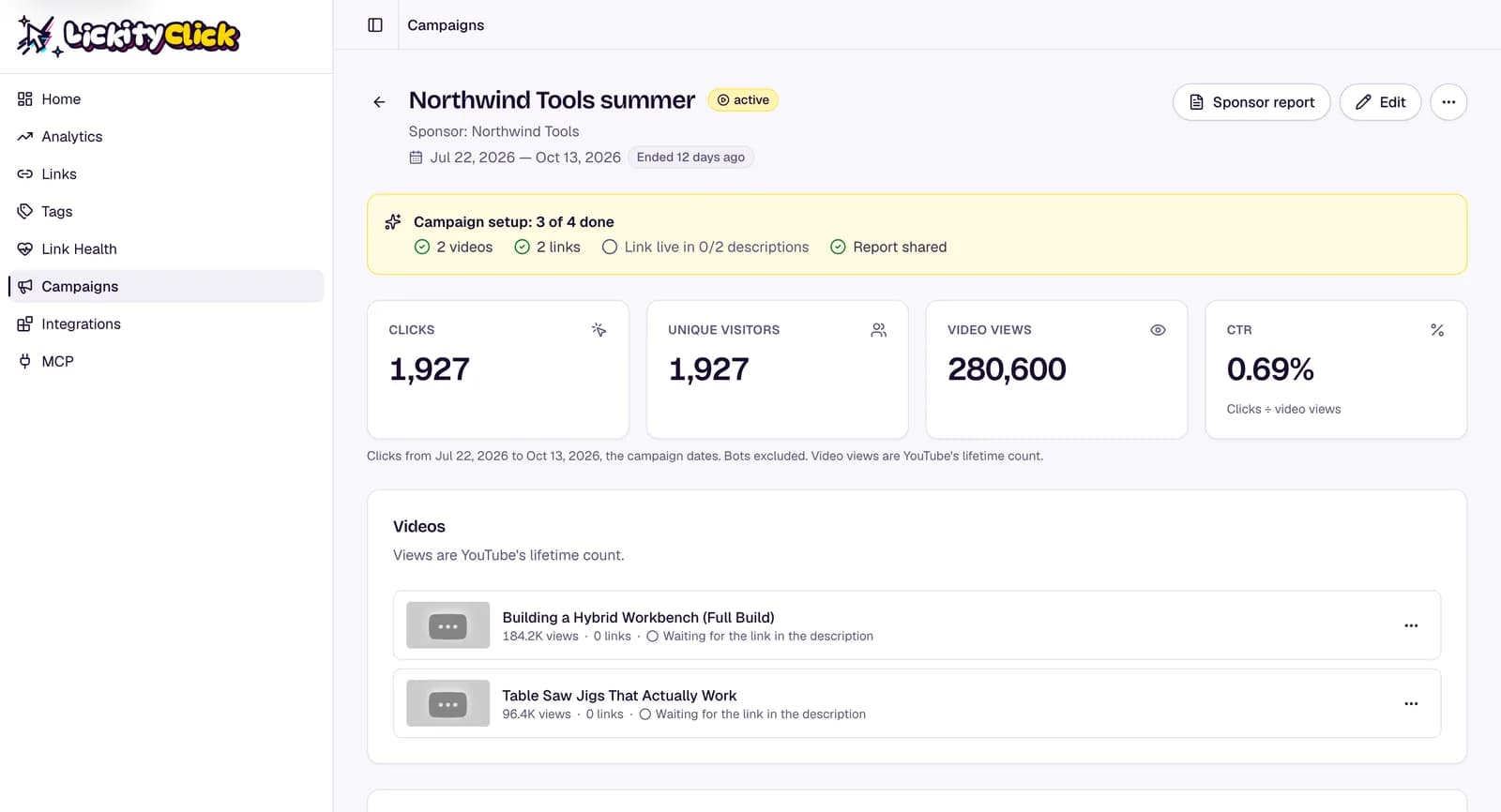
Clicks next to views
Connect your channel and your recent uploads come in automatically. Each video shows its views beside the clicks on your links, so you get link click-through rate without a spreadsheet.
Catch dead links fast
Sponsors change landing pages without telling you. Link Health checks every destination and emails you when one breaks, so an old video doesn't keep sending people to an error page.
Your domain, not ours
Links like yourname.link/gear are easier to read in a description and easier to say out loud. One custom domain is included.
How it works
- 1
Make a short link
Paste the URL and pick a slug. Add UTM tags with our free UTM builder.
- 2
Put it in the description
Once YouTube is connected, LickityClick finds your short links in your video descriptions and matches them to each video.
- 3
Watch the numbers
Clicks by video, country, device, and source, updated every minute.
For sponsored videos
Show sponsors what their link did
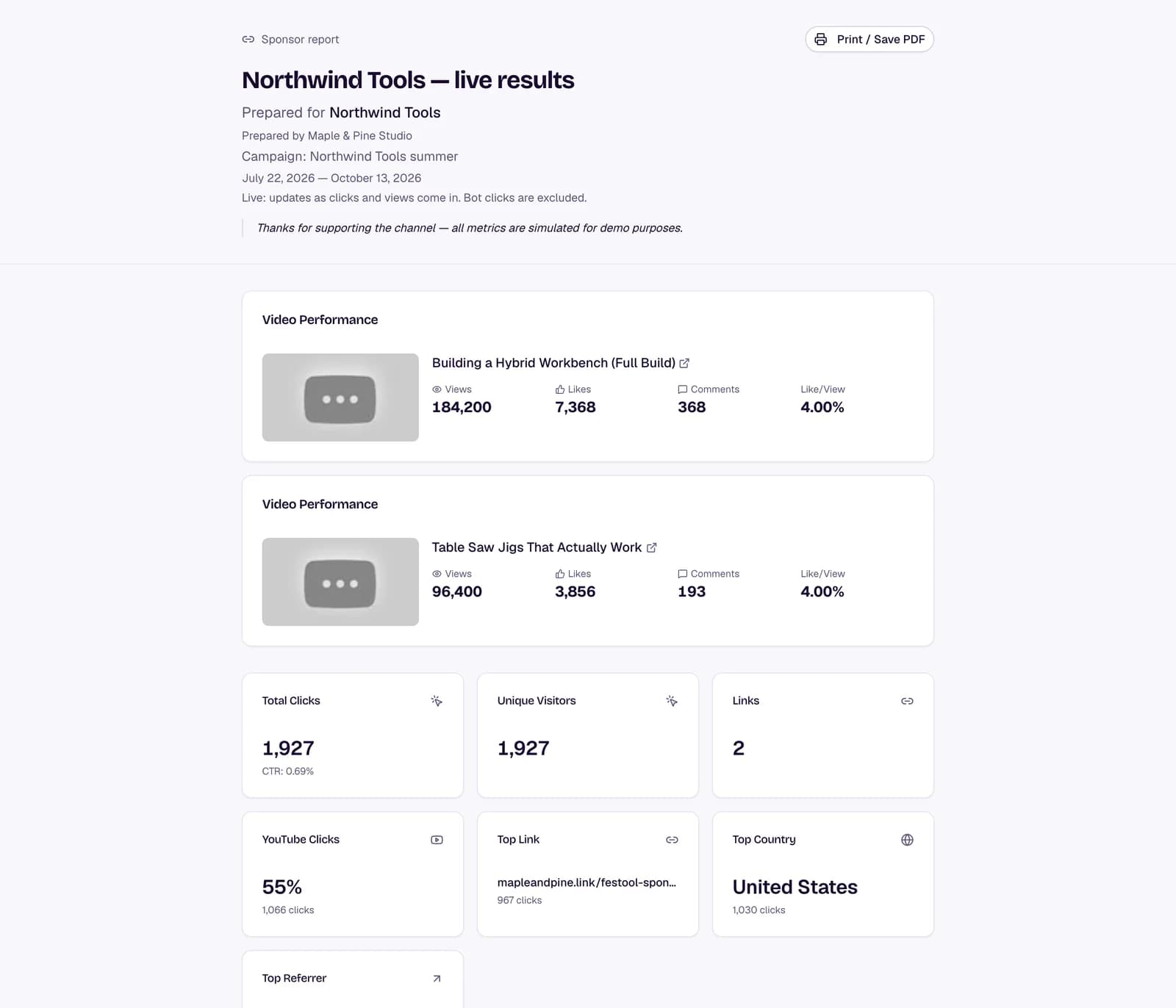
Group a sponsor's links into a campaign, attach the videos, and send a report page they can open without an account.
- One campaign per sponsor deal
- Clicks, views, and click-through rate in one place
- Bot clicks left out of the totals
Demo account with simulated data.
Link Health
Know when a sponsor link breaks
LickityClick checks every destination and emails you when one stops working.
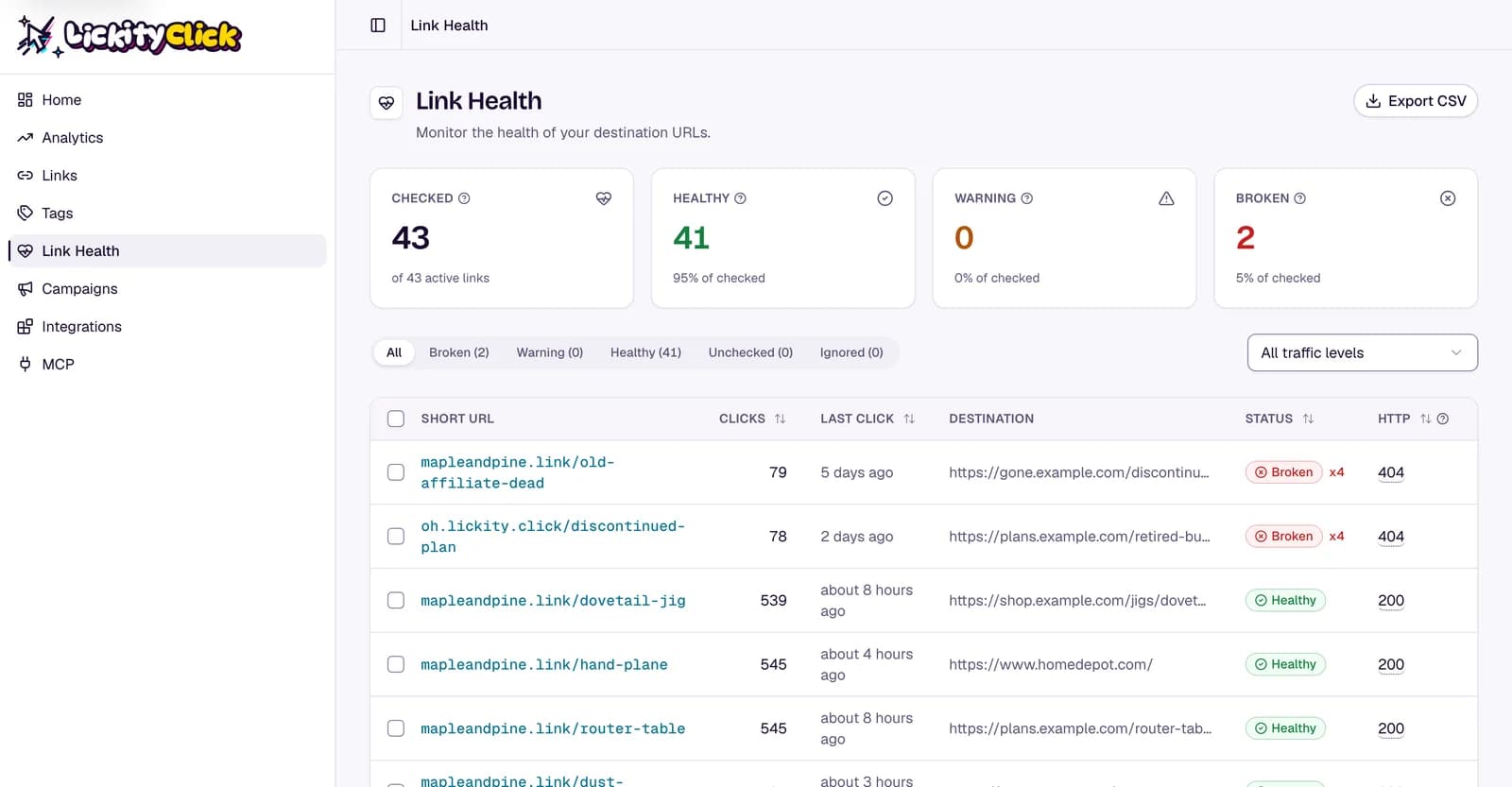
Broken links sit at the top, so a changed sponsor page is easy to spot. Demo account with simulated data.
Questions
What's the best URL shortener for YouTube?
One that puts links on your own domain and shows clicks for each video. That's the job LickityClick is built for. If you only need a quick free link and don't care about the numbers, a free shortener is fine.
Can I see which video a click came from?
Yes. Give each video its own short link, or connect YouTube and LickityClick matches your short links to the videos they appear in.
Do I need my own domain?
No. You can start on our shared domain and add your own when you're ready. One custom domain is included in the plan.
How much does it cost?
$7 a month or $70 a year. Every feature is included, with a 14-day free trial and no credit card.
Comparing link shorteners? Read our honest Bitly alternatives comparison.
Track every description link for $7/mo.
14-day free trial. No credit card.